
put
https://enerflo.io/api/v3/installs//complete/note/
Install notes can be [optionally] associated with an individual milestone (see figure 1).
Milestone-specific notes are imbued with boolean field: completed . New notes are created with a completed value of FALSE. Notes that are incomplete will display in the UI in two different ways.
Figure 2depicts the milestone timeline with1incomplete note in theSite Survey Completedmilestone.Figure 3depicts the milestone details modal with an incomplete note.
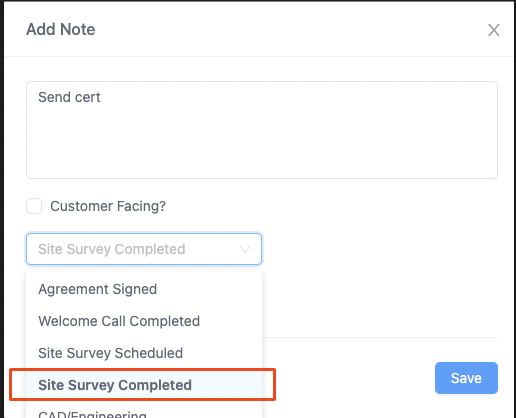
figure 1
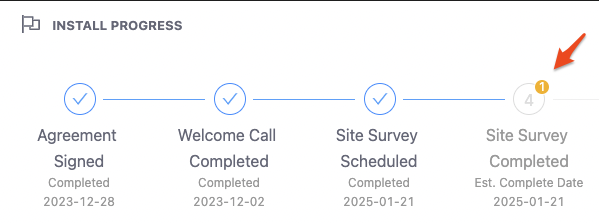
figure 2
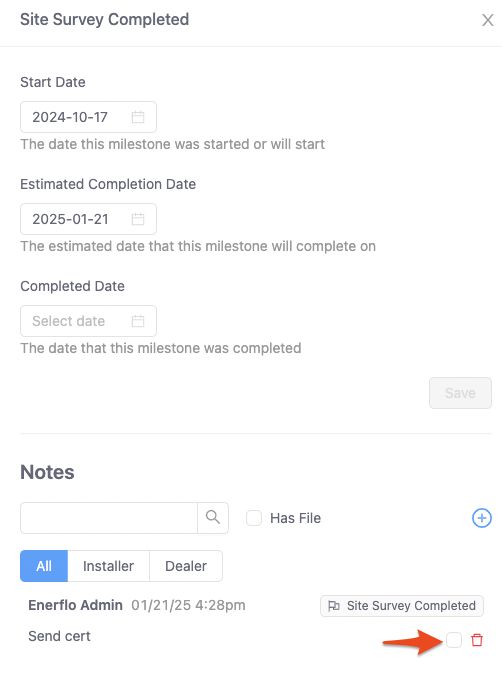
figure 3