Begin, Update, or Complete milestones in the Enerflo Install Tracker.
*Note that a 500 error message may be due to the install being in a Voided state. You cannot update milestones on a voided install project.
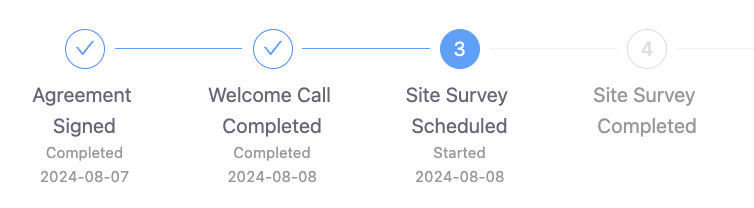
Sample Enerflo Install Tracker showing completed, active, and future milestones
Your EPC Settings might affect adjacent milestones when you perform an update:
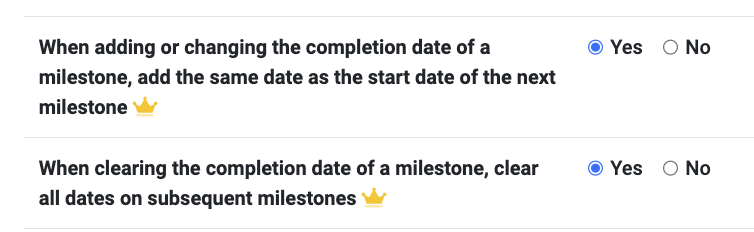
Updates to milestone completion dates can potentially impact neighboring milestones depending on your Enerflo EPC settings. (https://enerflo.io/solar/settings)
When adding or changing the completion date of a milestone, add the same date as the start date of the next milestone: Enabling this setting automatically sets the start date of the following milestone when you update the completion date of the current one.
When clearing the completion date of a milestone, clear all dates on subsequent milestones: Enabling this setting automatically clears all completion and start dates for subsequent milestones when you clear the completion date of the current one.
Understanding these settings will help you understand how the milestone update may impact other milestone dates.